What is a digital loyalty stamp card?
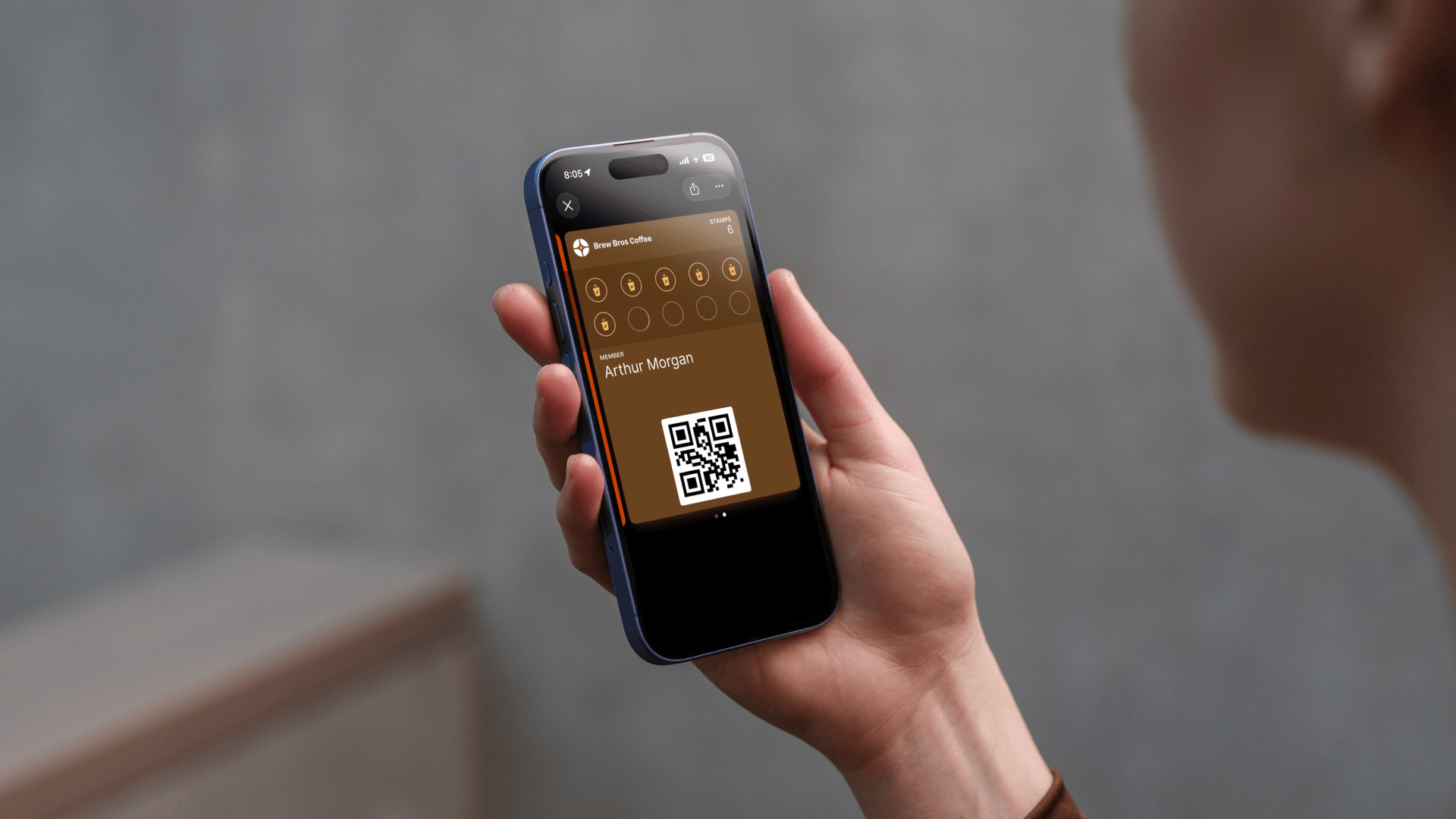
A digital loyalty stamp card works exactly like the paper ones you've seen at coffee shops (buy 10, get 1 free), except it lives on your customer's phone. Instead of a physical card that gets stamped with ink, customers scan a QR code and the stamp is recorded digitally.
The card is saved to Apple Wallet or Google Wallet, so it's always accessible from the lock screen. No app to download, no account to create. Customers just scan and go.
For business owners, it means you get a dashboard to see who your loyal customers are, how often they visit, and when they redeem rewards, data that paper cards could never provide.
Why digital beats paper
Paper stamp cards have a fundamental problem: they disappear. Studies show that up to 80% of paper loyalty cards are lost or thrown away before a reward is ever claimed. That's wasted effort for you and a missed reward for your customer.
Never lost or forgotten
The card lives in Apple or Google Wallet, so it's always on their phone.
Higher redemption rates
Customers actually complete stamp cards when they can't lose them.
Real-time analytics
See visits, stamps, and redemptions in a dashboard, no guessing.
Push notifications
Send updates directly to the customer's lock screen, no email or SMS costs.
Know your customers
Collect contact info and track behavior. Identify your best customers.
Brand-matched design
Customize colors, logo, and messaging. Your card, your brand.
How digital stamp cards work
The process is simple for both you and your customers:
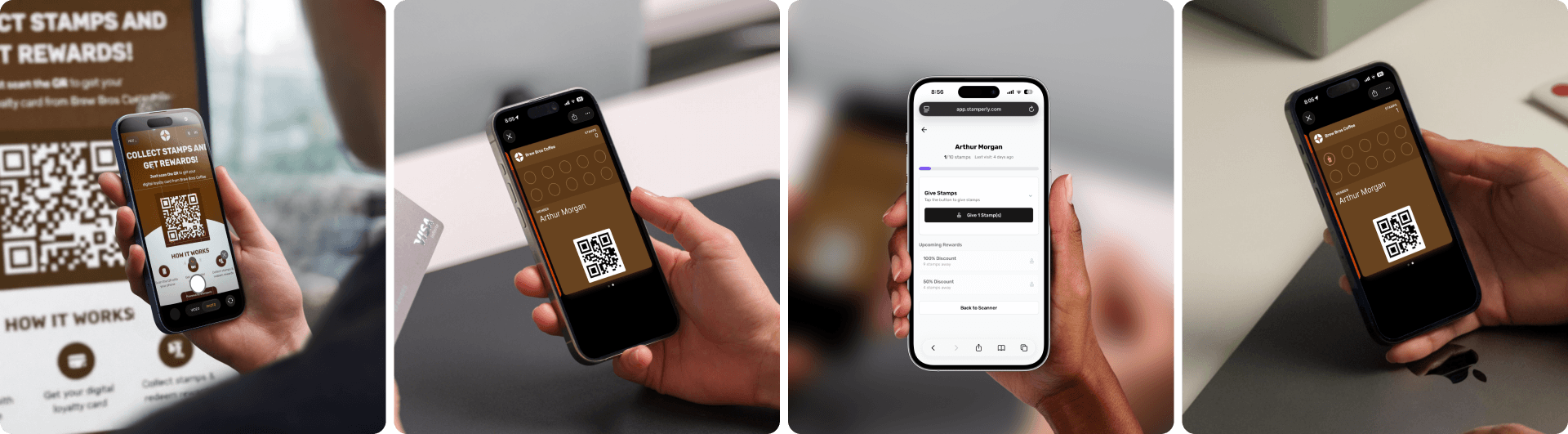
Customer scans your QR code
Place a QR code at your counter, on your menu, or on a table tent. The customer scans it with their phone camera, no app needed.
Card is added to their wallet
The loyalty card is instantly saved to Apple Wallet or Google Wallet. It shows up on their lock screen and is always one tap away.
You scan their card to give stamps
When a customer makes a purchase, open the Stamperly app and scan the QR code on their wallet card. The stamp is added instantly.
Reward is unlocked automatically
When the customer reaches the stamp target (e.g., 10 stamps), the reward shows up on their card. You tap to redeem it on their next visit.
Setting up your first card with Stamperly
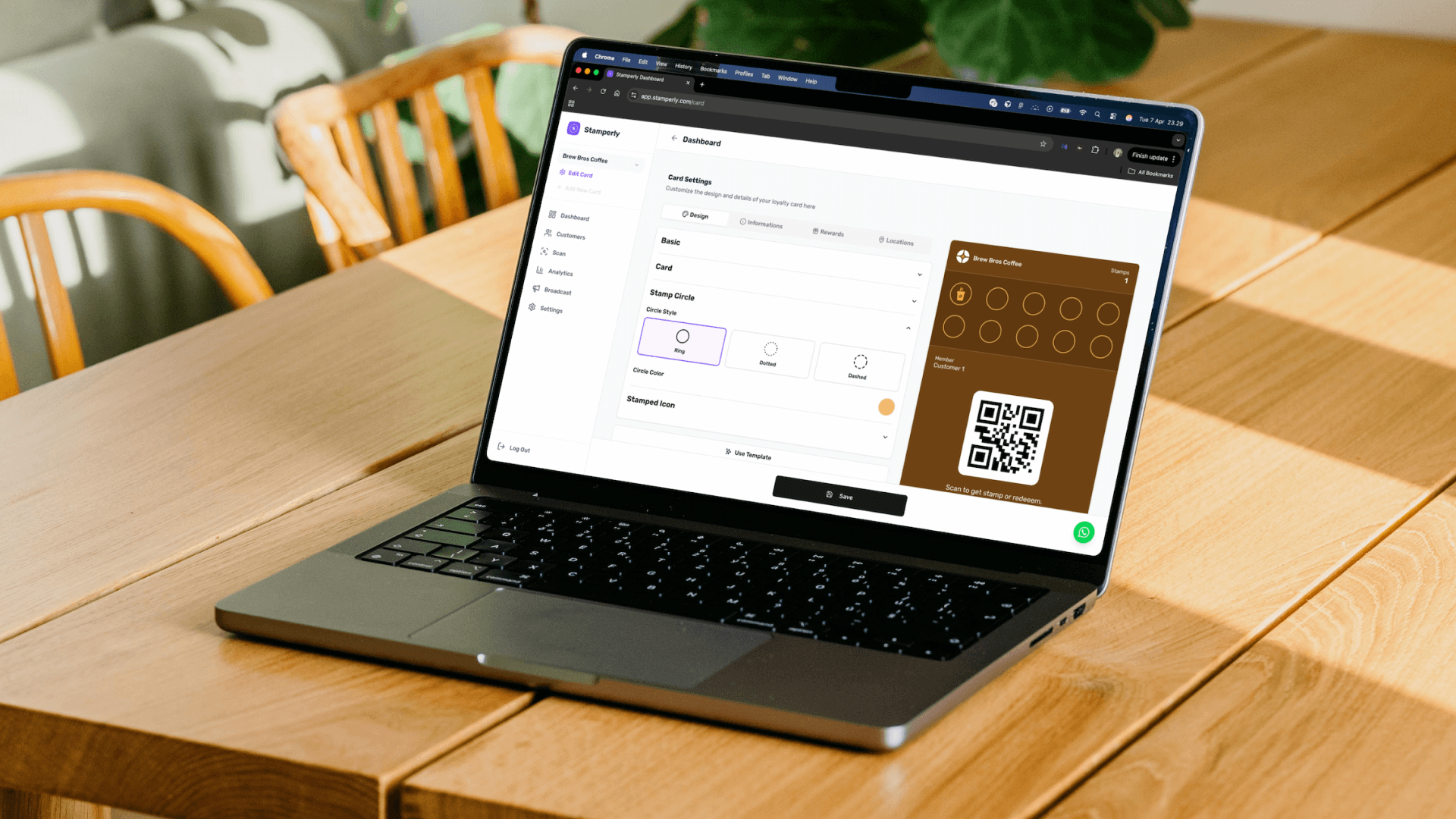
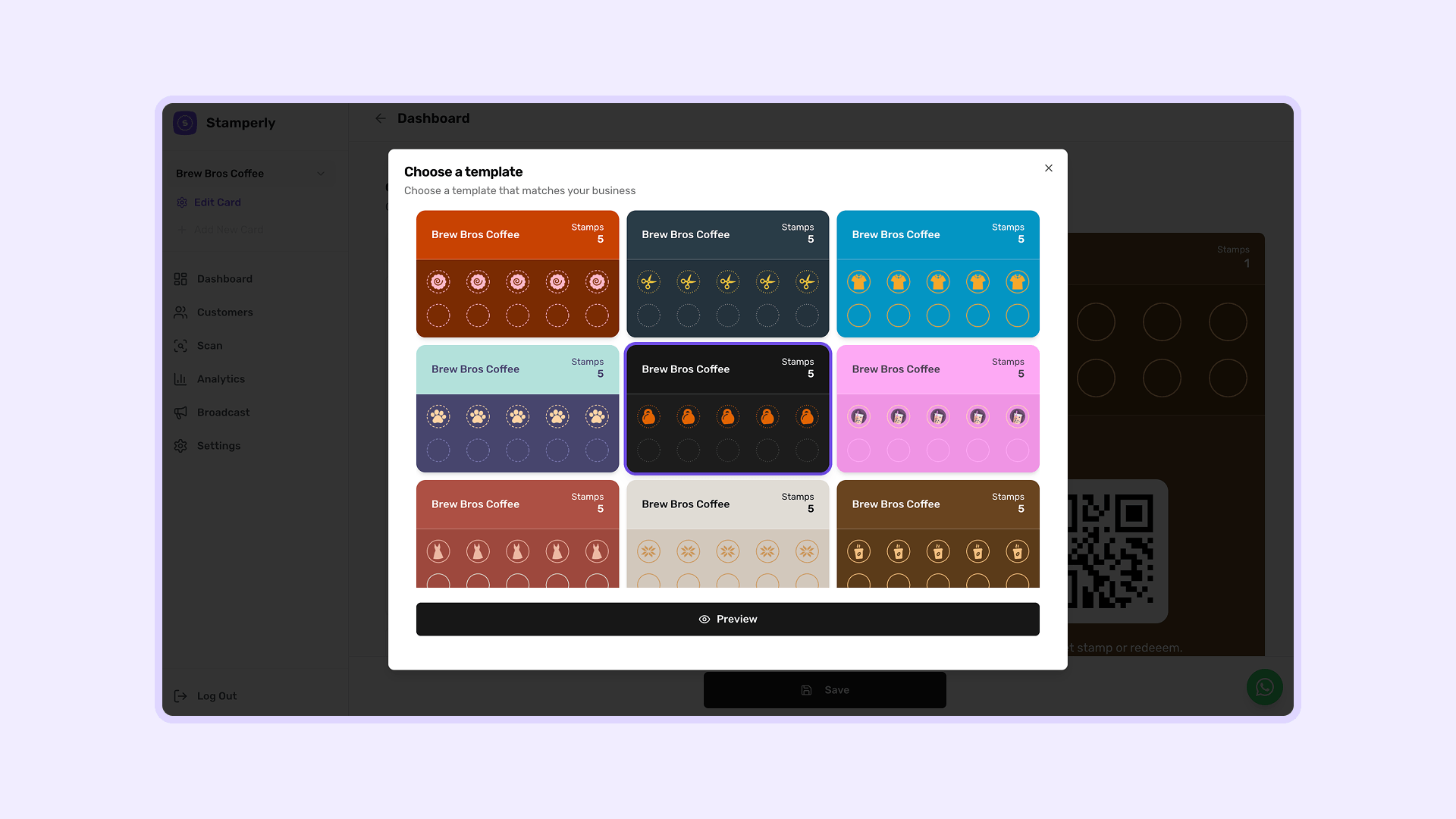
Creating your first digital loyalty card takes about 5 minutes. Here's what you'll do:
- Sign up for the free plan, no credit card required. It's free forever, so you can try everything.
- Pick a template or start from scratch. Stamperly offers templates for coffee shops, restaurants, salons, fitness studios, and more.
- Customize your card: upload your logo, set your brand colors, write your business name, and choose how stamps look.
- Set up rewards: define what customers earn (e.g., "Free coffee after 10 stamps" or "20% discount after 8 visits").
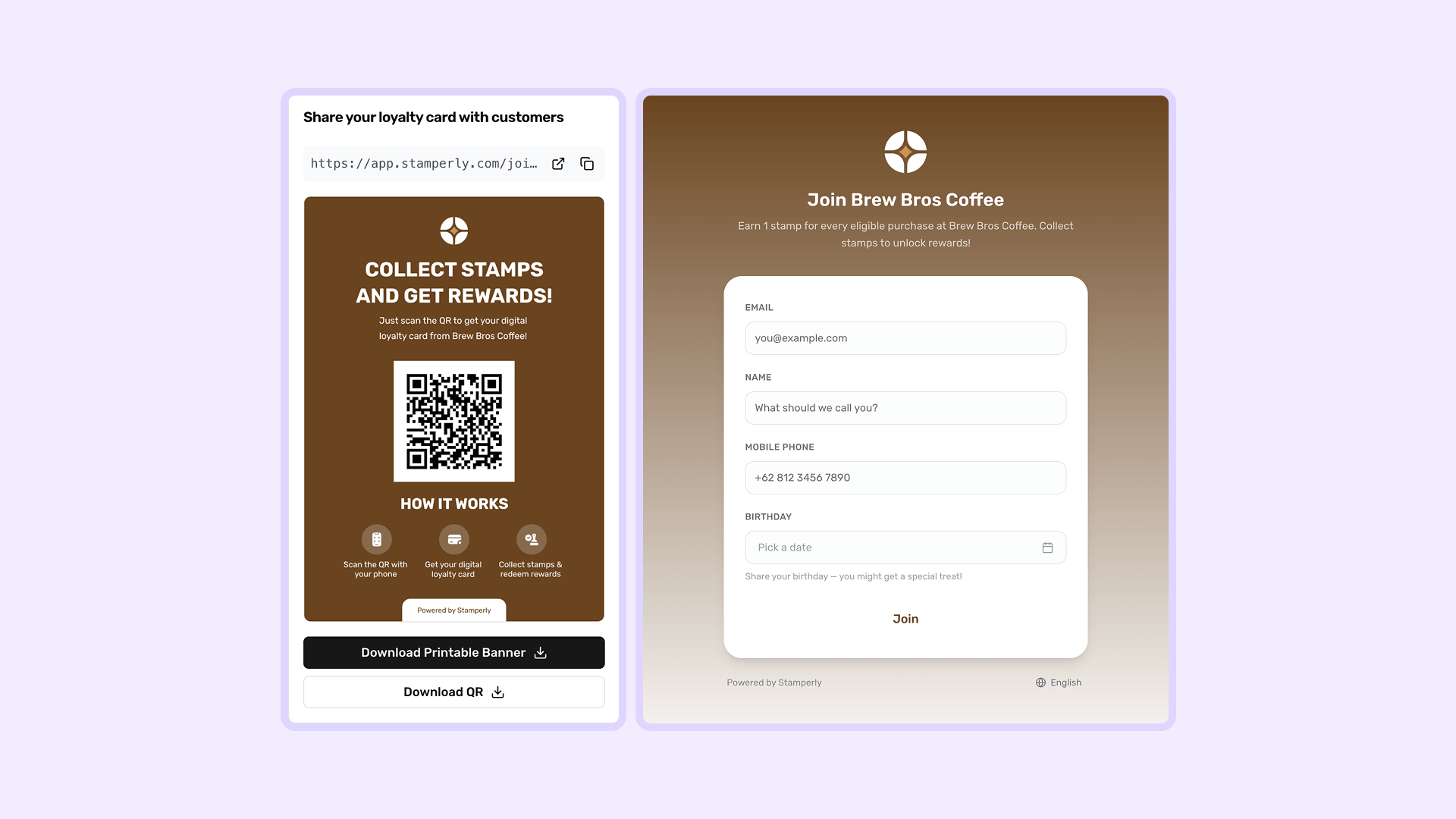
- Publish your card: hit publish and your card is live. A shareable link and QR code are generated automatically.
Sharing your card with customers
Once your card is published, Stamperly gives you several ways to get it in front of customers:
- Printable banner: download a ready-to-print banner with your QR code and brand colors. Place it at the counter, on the wall, or on a table tent.
- QR code download: get a standalone QR code image to put on menus, receipts, flyers, or social media.
- Shareable link: copy your card's join link and share it via WhatsApp, Instagram bio, email, or any messaging platform.
The key is visibility. Place the QR code where customers naturally look: near the register, on the menu, or at the entrance. The easier it is to find, the more people will join.
Scanning and giving stamps
When a customer makes a purchase and wants to earn a stamp, here's the workflow:
- The customer opens their wallet card and shows the QR code.
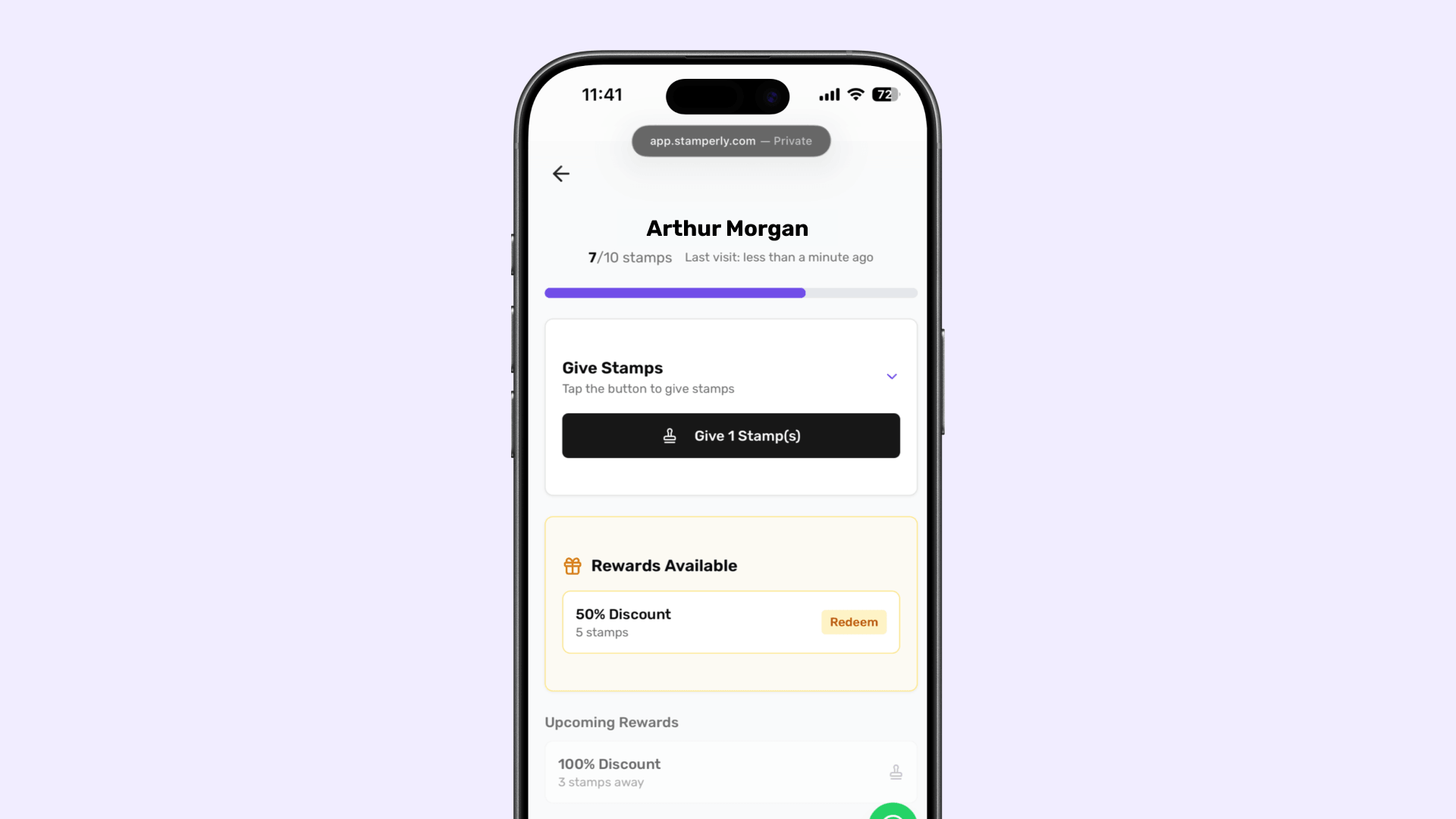
- You (or your staff) open the Stamperly dashboard and tap "Scan."
- Point the camera at the customer's QR code, it's recognized instantly.
- Confirm the stamp, and the customer's card updates in real time on their phone.
You can also adjust the number of stamps per visit (e.g., 2 stamps for a large order) and redeem rewards directly from the scan screen when a customer is eligible.
Tracking results with analytics
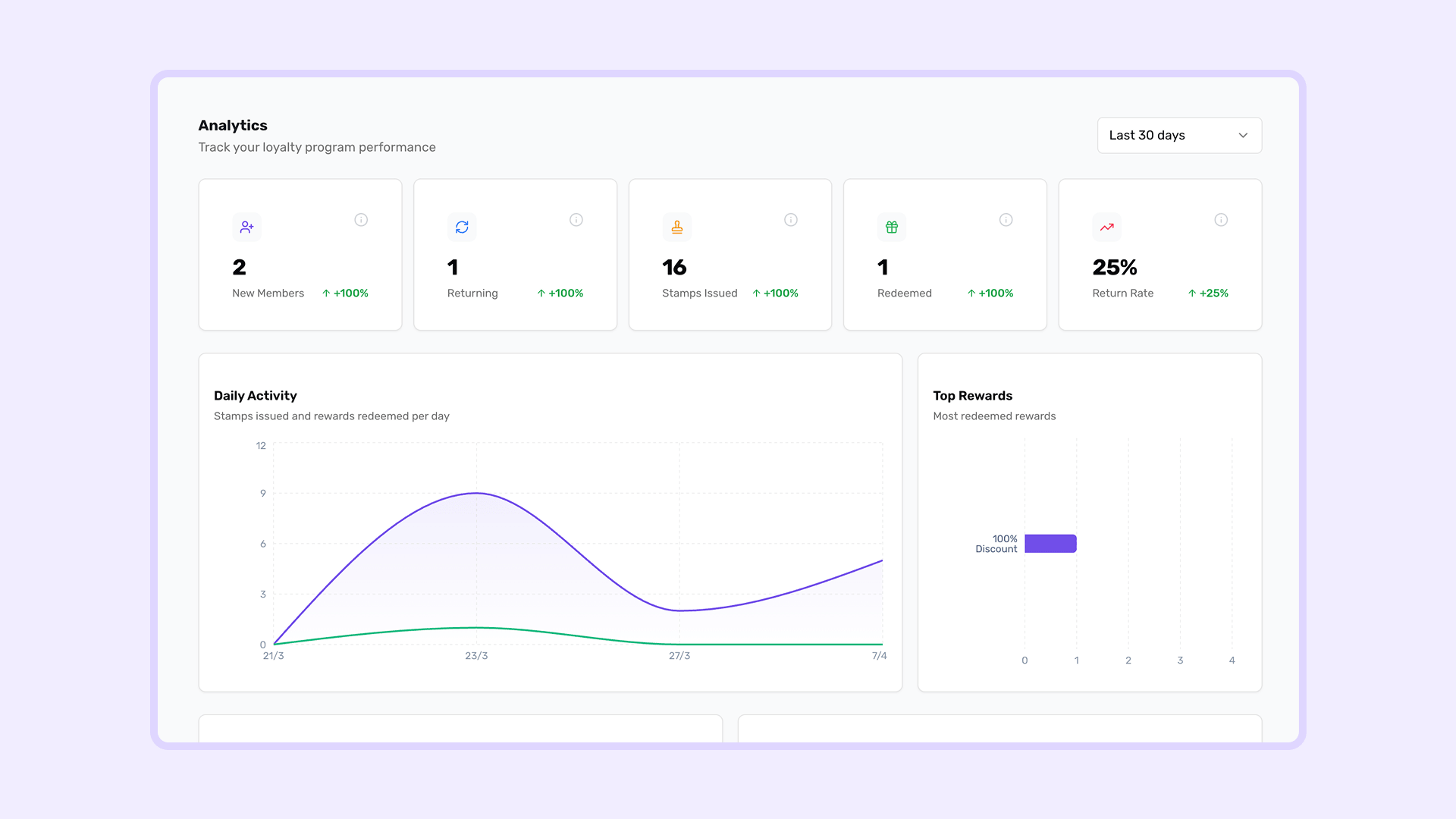
One of the biggest advantages of going digital is the data. Stamperly's analytics dashboard gives you a clear view of how your loyalty program is performing:
- New signups: how many customers joined your program.
- Stamps issued: total stamps given across all customers.
- Rewards redeemed: how many rewards were claimed.
- Customer activity: see returning customers vs. new ones.
You can filter by time period (last 7 days, 30 days, 90 days) and compare trends. This data helps you understand which promotions work and when your busiest periods are.
Engaging customers with push notifications
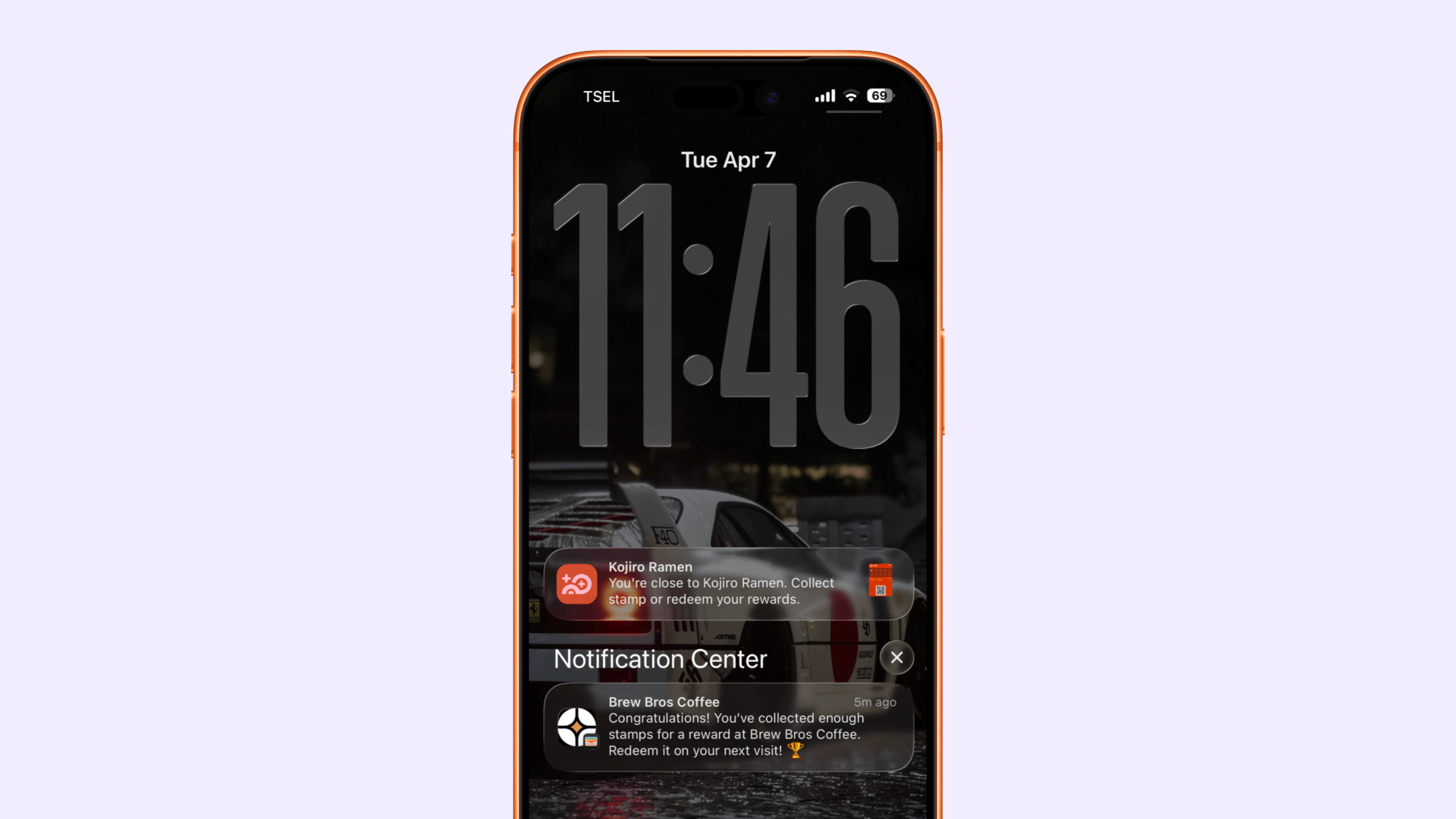
Digital loyalty cards unlock a powerful marketing channel: wallet push notifications. Unlike email (which gets ignored) or SMS (which costs money per message), wallet notifications appear directly on your customer's lock screen, for free.
With Stamperly, you can send notifications for:
- New promotions: "Double stamps this Friday!"
- Reward reminders: "You have a free drink waiting!"
- Business updates: new menu items, holiday hours, special events.
You can also set up notification zones, automatic notifications that trigger when a customer is near your store. It's a gentle reminder to stop by, without any manual effort.
Tips to maximize your loyalty program
1. Make the reward achievable
10 stamps is the sweet spot for most businesses. It's enough to build a habit but not so many that customers give up halfway. If your average customer visits once a week, they'll earn the reward in about 2-3 months.
2. Offer a meaningful reward
The reward should feel worth the effort. A free item (coffee, haircut, car wash) works better than a small discount. It gives customers a clear, tangible goal to work toward.
3. Train your staff
Your team should know how to scan cards and mention the loyalty program to every customer. A quick "Would you like to earn a stamp?" at checkout makes all the difference.
4. Place the QR code where it's visible
Put the QR code at eye level near the register, on menus, on table tents, and at the entrance. The more visible it is, the more customers will join. Download the printable banner from your Stamperly dashboard.
5. Use broadcast messages strategically
Don't overdo notifications. One or two per week is plenty. Time them around slow days or special promotions. A well-timed "Happy hour double stamps!" on a Tuesday can fill seats on your quietest day.
6. Check your analytics weekly
Glance at your dashboard once a week to see trends. Are signups growing? Are people redeeming rewards? If not, it might be time to make the QR code more visible or adjust your reward.
Quick recap
- Digital loyalty cards replace paper cards that get lost, they live in your customer's phone wallet.
- Customers scan a QR code once to join. No app download required.
- You scan their wallet QR code to give stamps on each visit.
- Rewards unlock automatically when the stamp target is reached.
- Analytics show you signups, activity, and redemptions in real time.
- Push notifications let you send promotions directly to the lock screen.
- Stamperly lets you set all of this up in under 5 minutes with no coding.