Why staff logins
The people at your counter need to give stamps, but they don't need access to your billing, card design, or customer export. Staff accounts give each team member their own login with just the day-to-day tools.
Create a staff account
1
Add the staff member
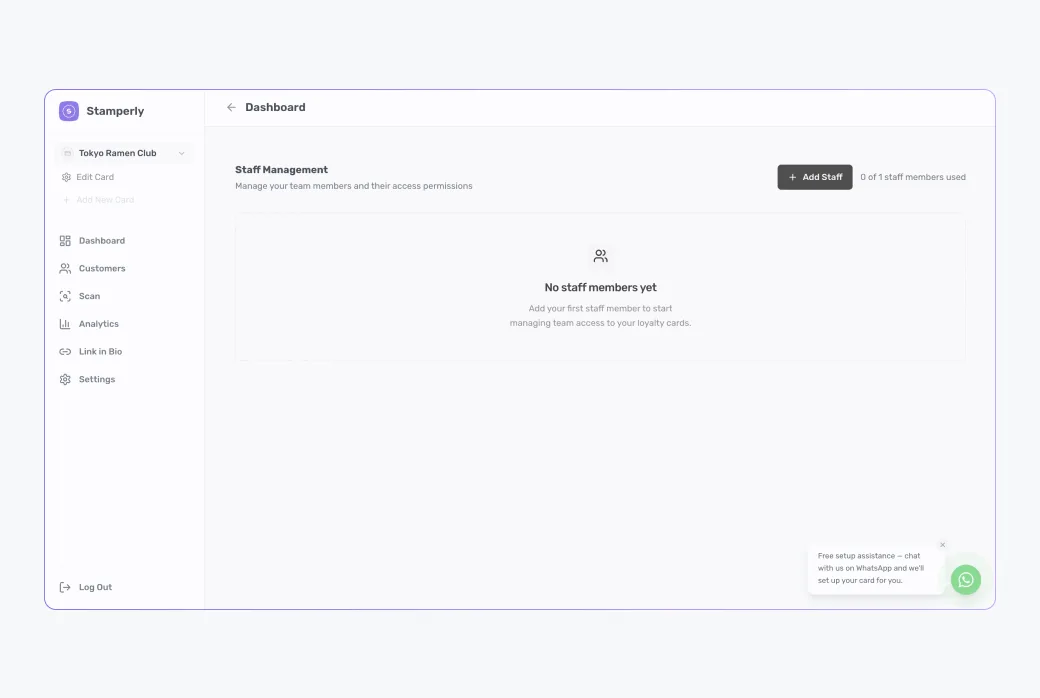
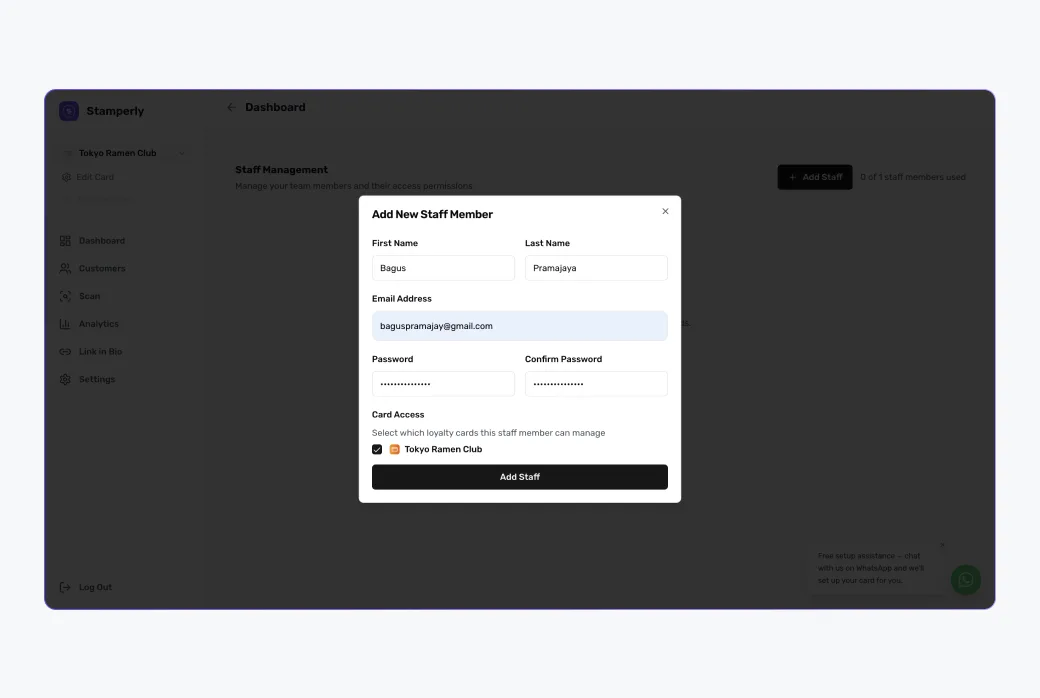
Go to Staff in the dashboard and add their first name, last name, email, and a password. They log in at the same place you do: app.stamperly.com.
2
Assign them to cards
Each staff member is assigned to one or more of your cards: they can only scan and stamp for the cards they're assigned to. Useful when you run multiple locations or brands.
Limits
The number of staff accounts depends on your plan, see pricing for current limits. If you hit the cap, upgrading takes effect immediately.